Territory Optimization for Door-to-Door Teams: Maximize Coverage and Results

Territory design is one of the most overlooked factors in door-to-door success. A well-designed territory lets canvassers spend their time knocking on doors rather than driving between areas or walking past homes they do not need to visit. A poorly designed territory leads to missed opportunities, frustrated canvassers, and uneven coverage.
Whether you manage political canvassing or a door-to-door sales team, these strategies for improving territories will help you get more from every hour in the field.
The Fundamentals of Good Territory Design
Choose the Right Territory Size
A territory should contain enough doors for one canvasser to work a full shift without running out of doors or leaving some unvisited. The ideal size depends on several factors:
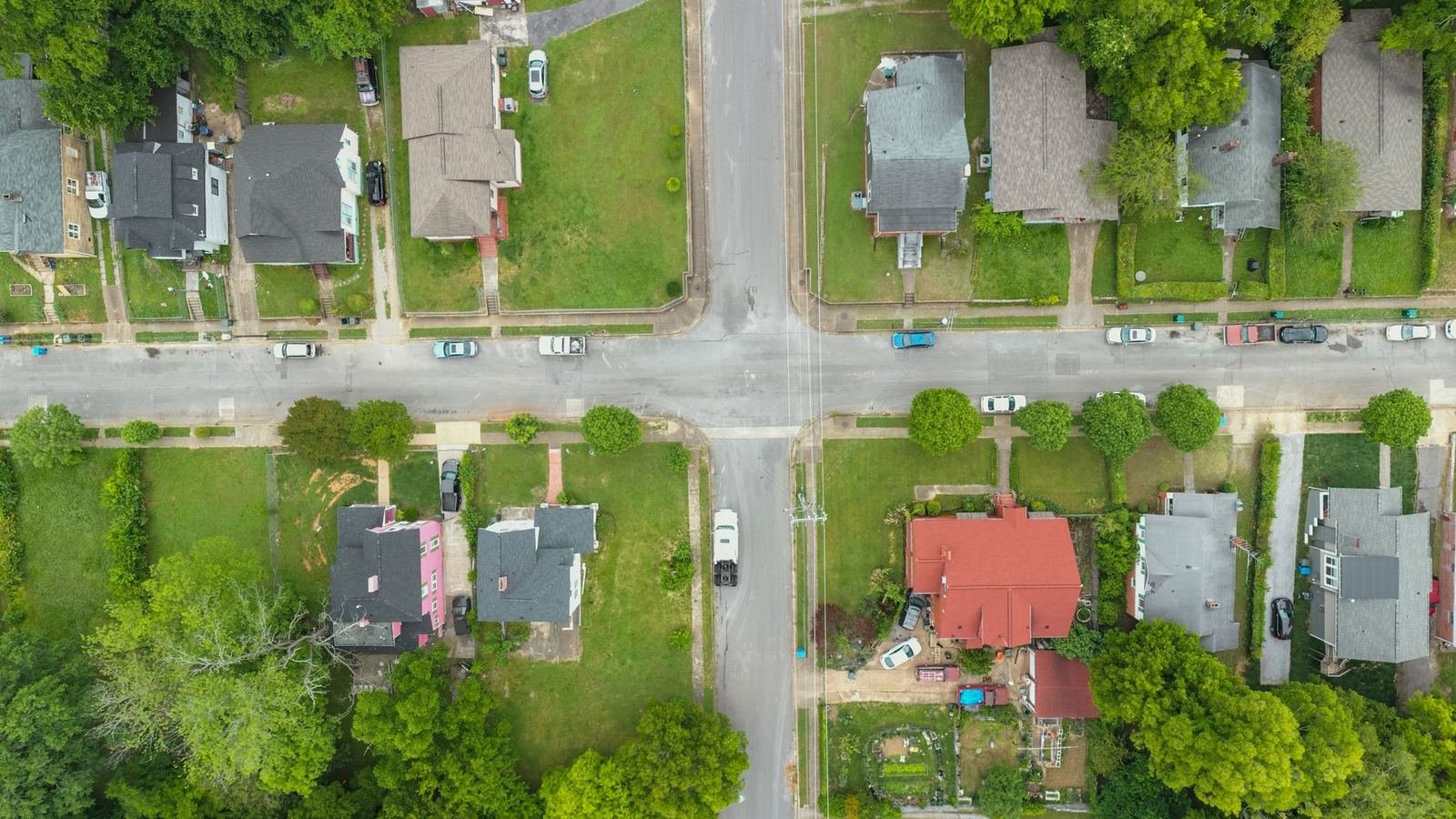
- Door density. Urban areas with closely packed rowhouses can support territories of 100 or more doors. Suburban areas with spread-out homes need 50 to 70 doors. Rural areas might have only 20 to 30 reachable doors per territory.
- Shift length. A 3-hour shift with a target of 20 doors per hour means 60 doors. A 2-hour shift needs 40 doors.
- Conversation length. Sales canvassing with 5-minute conversations needs fewer doors than political canvassing with 2-minute contacts
- Target density. If only 40% of doors in an area are targets (because you are contacting only certain groups of residents or types of voters), you need more total doors in the territory
Minimize Dead Walking

Dead walking, which means walking between target doors without talking to anyone, is the biggest waste of time in canvassing. Design territories to reduce it by:
- Grouping nearby target addresses together
- Following natural walking paths (sidewalks, street patterns)
- Avoiding territories that span both sides of major roads or barriers
- Keeping the distance from the meeting or parking area to the first door short
Use Natural Boundaries
Highways, rivers, railroad tracks, and parks make natural territory boundaries. They prevent overlap and make territories easy to understand. Canvassers should be able to glance at their territory map and immediately understand their boundaries.
Assignment Strategies
Skill-Based Assignment
Canvassers differ in skill and territories differ in importance, so match your best canvassers with your highest-priority territories. In political campaigns, this means sending canvassers who are experienced at persuasion to swing precincts (precincts that could go either way). In sales, send your strongest salespeople to the territories with the most valuable prospects.
Familiarity-Based Assignment
Canvassers who know a neighborhood perform better in it. If a team member lives in or near a territory, assign them there. They'll know the layout, understand the community, and may even know some residents personally.
For the wider picture, read our guide to canvassing operations.
Rotation
For territories that need several passes (rounds of visits), which is common in political canvassing, rotate canvassers. A new canvasser may get a response from voters who did not respond the first time, and rotation keeps canvassers from tiring of the same area.
Performance-Based Territory Adjustments
Treat your first territory design as a starting estimate. Results from the field will show what needs to change, so use performance data to keep improving:
Contact Rate Analysis
If a territory consistently has low contact rates (few people answering doors), find out why. The cause may be the time of day, many vacant properties, or an area that is hard to reach. Adjust shift times or move canvassers to areas with better results.
Conversion Analysis
Some territories produce a higher share of sales or supporters than others. In sales, certain neighborhoods may be more interested in your product. In political campaigns, some precincts may have more voters who can be persuaded. Put more effort into the strongest territories and less into the weakest.
Coverage Tracking
Track what percentage of doors in each territory have been contacted. Territories with low coverage percentages might be too large, have access problems, or need more canvasser hours assigned to them.
With Beacon, managers can see each territory's results as they come in, including contact rates, coverage percentages, and responses. This makes it easy to see which territories need attention and to base changes on the results.
Common Territory Design Mistakes
Beacon / from list to doors
How a walk list gets to the door
- Import your listA spreadsheet of names and addresses. The name and address columns are matched for you.
- Draw territoriesOutline each area on the map.
- Assign peopleGive each territory to one person, and reassign it at any time.
- Walk in street orderEach walk list is ordered by street.
- Record each doorThe result, a rating, notes and survey answers, even without signal.
- Read the resultsWatch the activity feed, see how many contacts each territory has reached, and export to a spreadsheet.
Territories Too Large
When territories are too large, canvassers never finish them, which leaves gaps in your data and missed opportunities. If canvassers regularly leave 30% of their territory unvisited, make territories smaller.
Ignoring Drive Time
A territory might look compact on a map but require significant driving between clusters. Account for drive time when sizing territories, especially in suburban and rural areas.
Never Changing Assignments
Assigning territories once and never adjusting them wastes opportunities. As you learn which areas perform best, move canvassers there. Give canvassers larger territories as they improve, and turn to new targets once an area is fully covered.
Overlap
Sending two canvassers to the same address wastes time and annoys residents. Use clear boundaries and tools that prevent duplicate assignments. Beacon's territory management prevents overlap by showing current assignments and warning you about conflicts.
Multi-Pass Territory Strategy
Many teams need to canvass a territory more than once. Political campaigns make several passes for voter ID (learning whom each voter supports), persuasion, and GOTV (getting out the vote). Sales teams may need to return for follow-up appointments. Plan for this:
- First pass. Visit all target doors, focusing on first contact and collecting information.
- Second pass. Return to homes where no one answered in the first pass, plus any contacts that need follow-up. Making this pass at a different time of day often reaches people who were out the first time.
- Third pass and beyond. Focus on high-priority targets who have not been reached or need more persuasion. Territories get smaller as contacts are completed.
Technology for Territory Management
Spreadsheets and paper maps quickly become unworkable as your team grows. Managing territories well requires:
- Map-based territory drawing. Draw boundaries on a map and see door counts as you draw
- Assignment tracking. Know which canvasser is assigned to which territory and when
- Coverage maps: See which doors have been knocked, which have not, and what the results were
- Quick adjustments: Reassign territories during a shift when canvassers finish early, call in sick, or new volunteers arrive
Beacon provides all of these tools in an app designed for canvassing, so you can spend less time on logistics and more time getting results at the door.
For this part of the work, Beacon offers tools for drawing and balancing territories on a map.