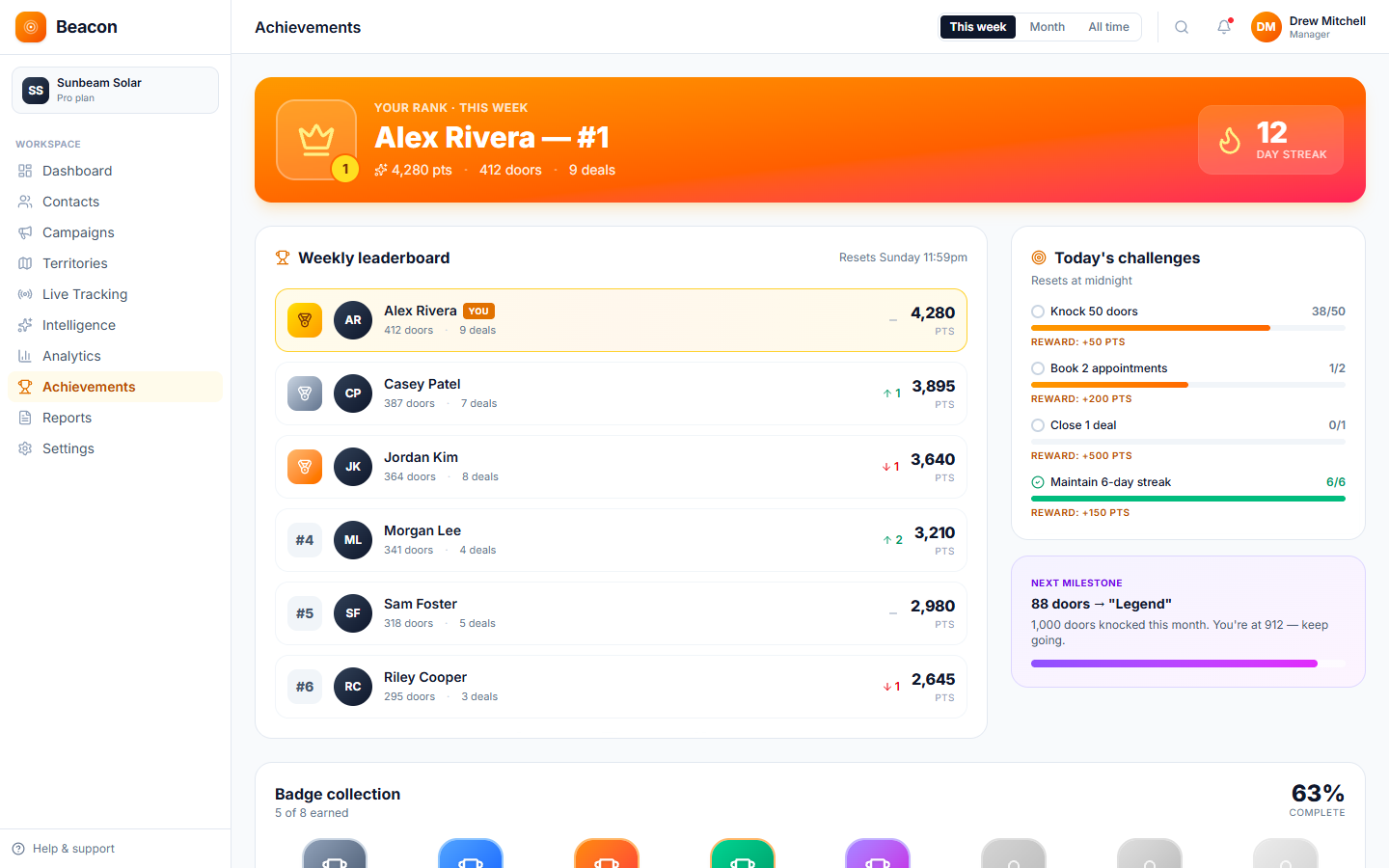
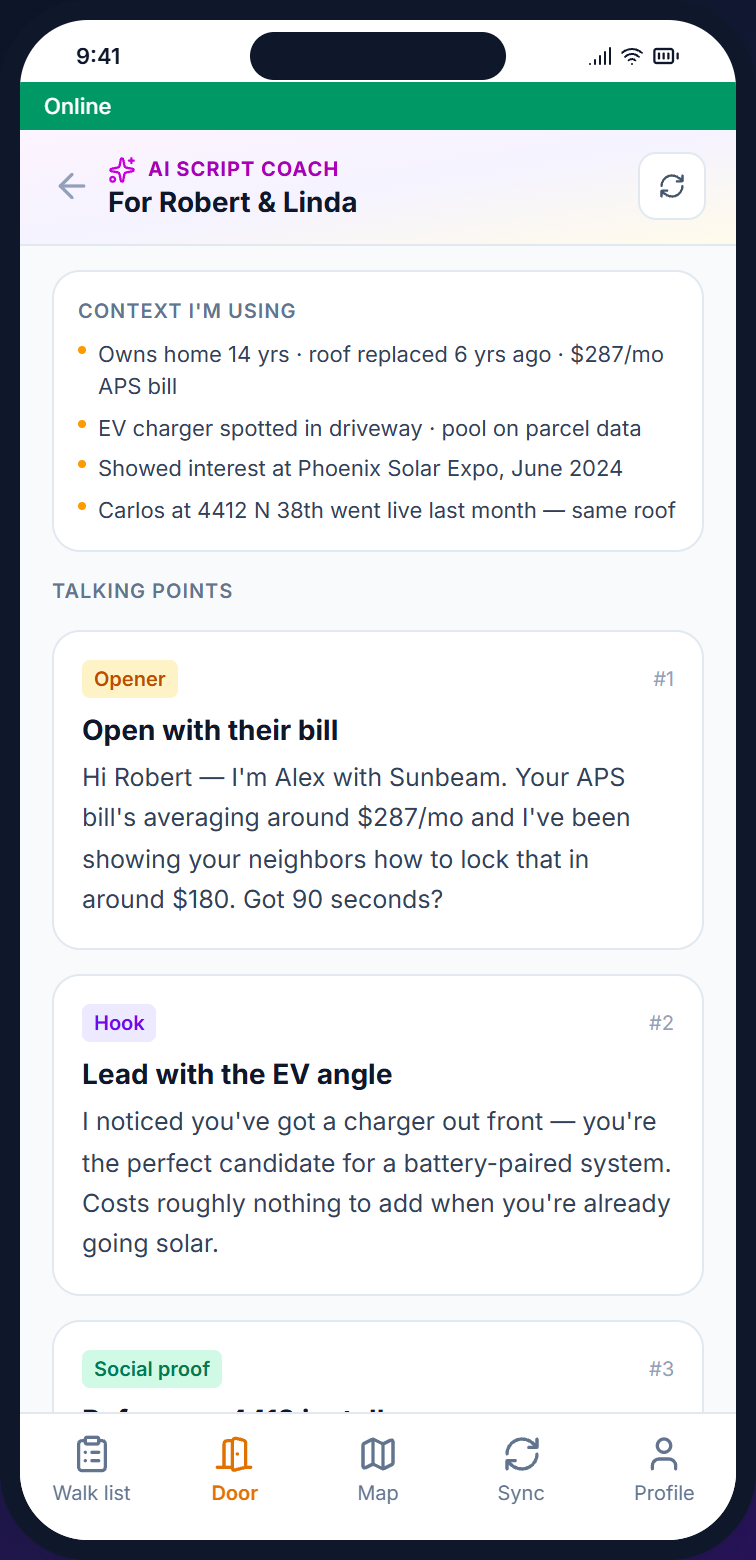
Beacon manages the door-to-door side of a sales operation (often called canvassing). It scores leads at the door, puts visit lists in route order, offers reps an AI sales coach on their phones as a paid add-on, and shows a leaderboard the team can review at the morning meeting. It is built for door-to-door (D2D) companies that have outgrown paper agreements and separate add-ons to their customer database (CRM).
Zones
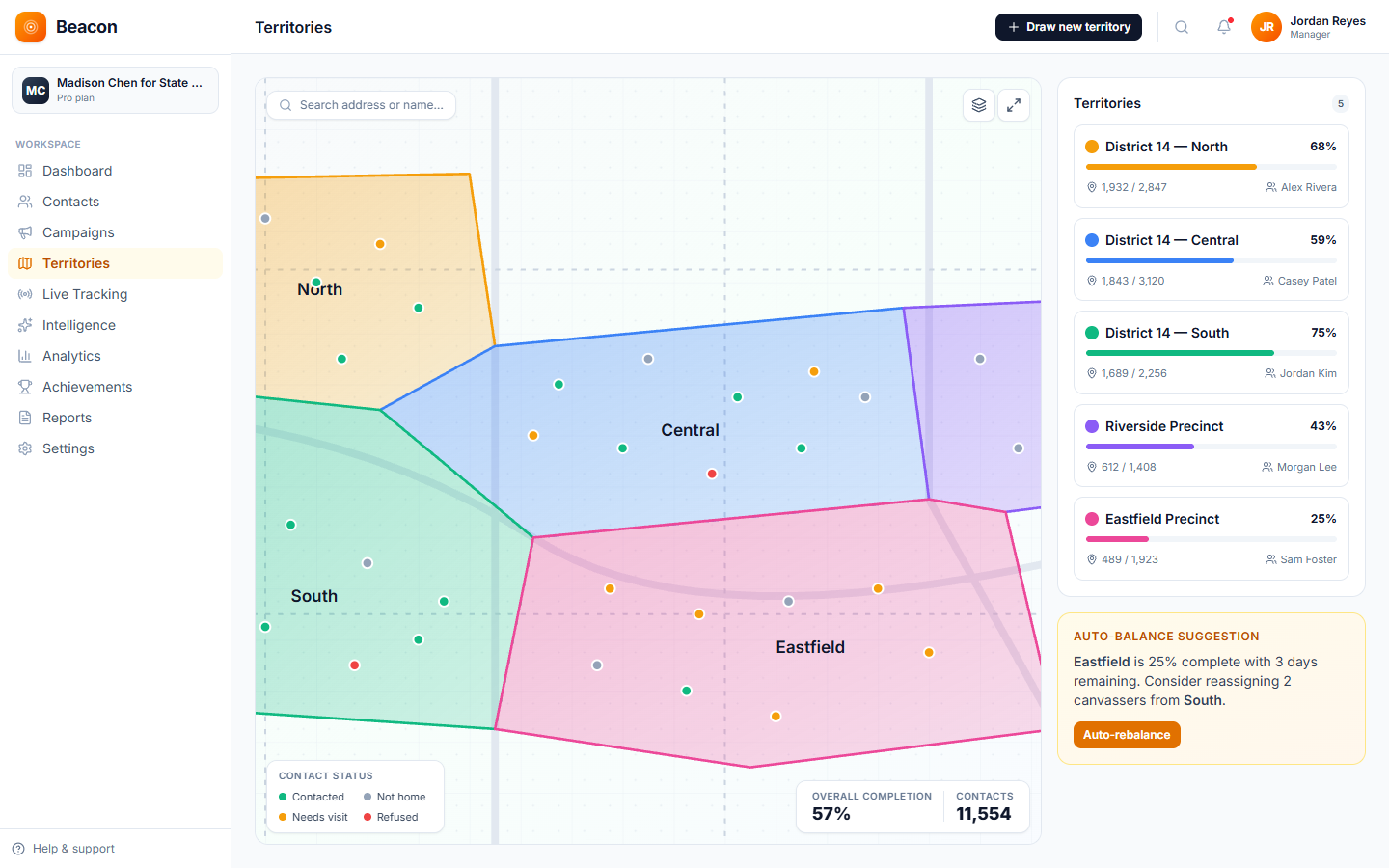
Draw a shape around a zone, name it, and assign reps. Each address gets a rule-based lead score, and the visit list is ordered to shorten the route. If a tier-1 (top-priority) neighborhood is fully covered partway through a campaign, you can redraw the zone and the visit lists update to match.
The platform
The sales manager runs the campaign from a laptop while reps work from their phones, and every door, lead, and signed agreement is saved to the same record. No one has to reconcile records at day's end or argue at the morning meeting about whether a sale closed.
/01, DESK
The office screen where you divide zones, score your full lead list, write scripts, and assign reps. Its live map fills in as the team works through its visit lists. The team can show the same leaderboard on screen at the morning meeting.
/02, DOOR
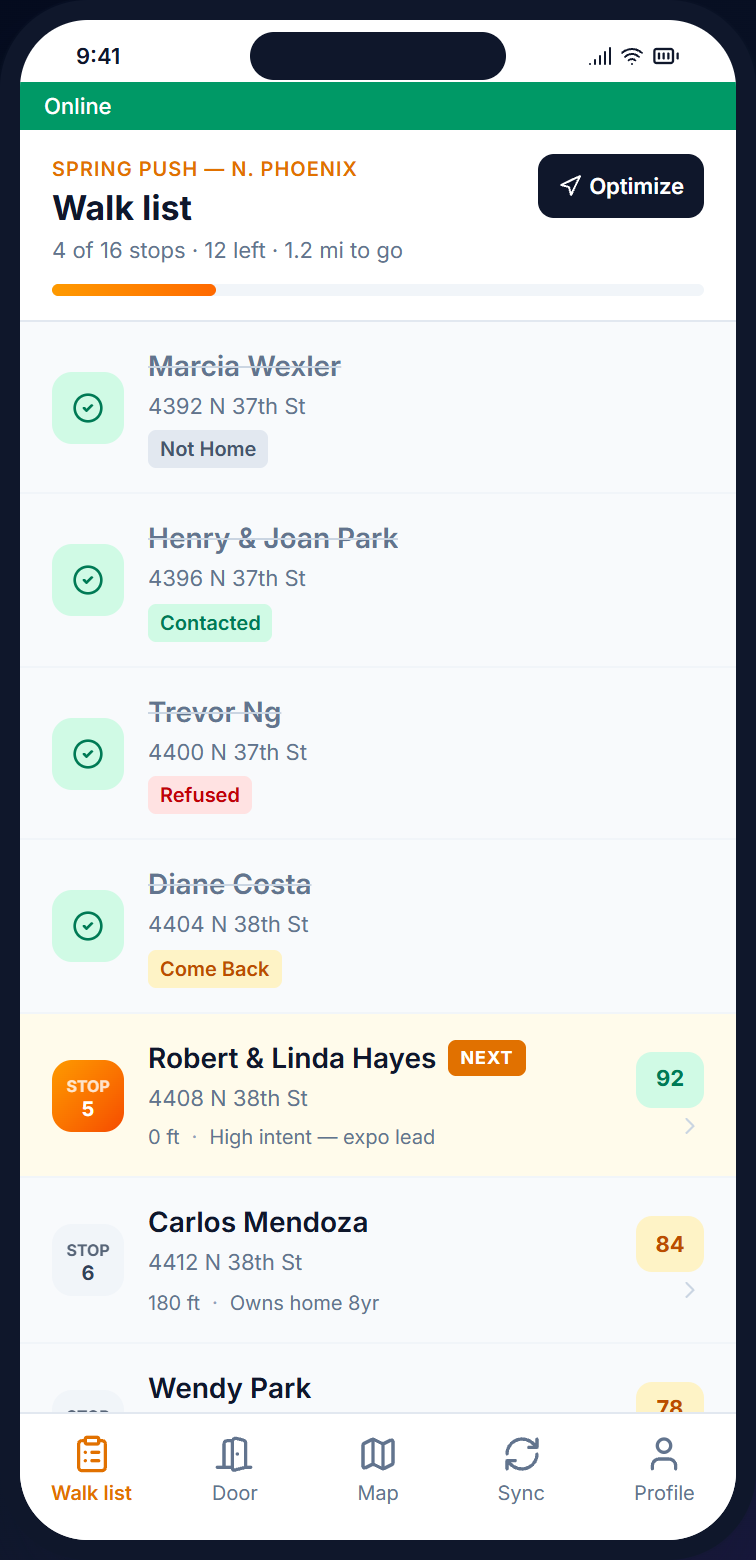
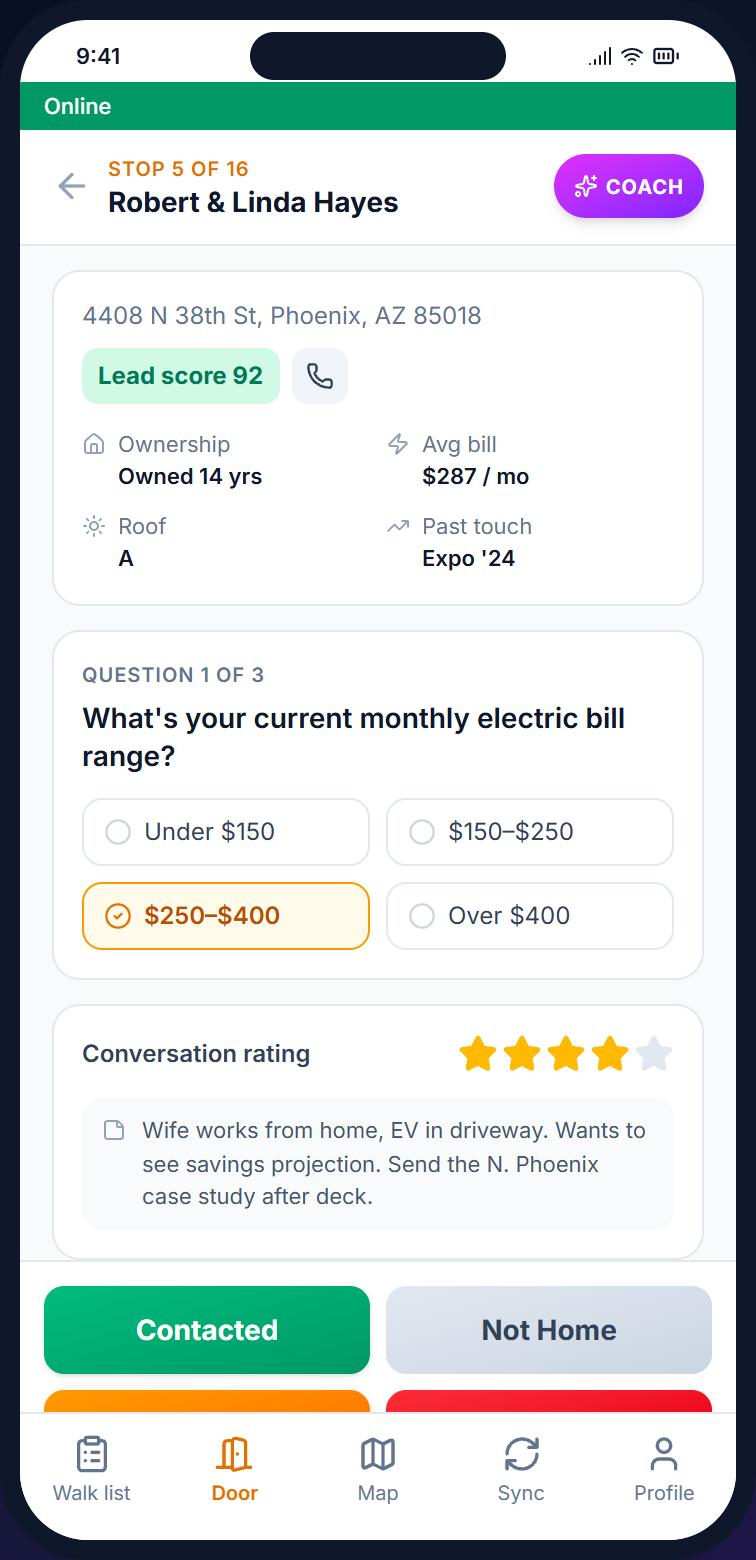
The phone app for reps. It holds the visit list, the door screen, the AI Sales Coach (a paid add-on), and an upload queue. Anything recorded without cell signal is saved on the phone and uploaded when the connection returns.
/03, MAP
Each visit updates the map as it happens. The dashboard shows doors per rep, door results, and the contact rate, and each zone shows its coverage, so no one needs to run a report.
Sales verticals
The terms stay the same across industries, but the door results, the survey at the door, and the steps of a sale change to match what reps do on the porch. The same account handles solar, pest control, and security without being rebuilt for each.
Each lead has a rule-based lead score from its visit history and contact details. A survey question records the monthly bill at the door, and the rep can book an in-home consultation on the spot.
Captures: Bill $ · Lead Score · Consult Booked · Hard No
Reps record a quote on the porch as a survey answer and book a first treatment for the same week. Visit lists are ordered to cover closely spaced homes along the route.
Captures: Quote Given · Booked · Renewal · DNC
For security, customers who sign up for a free quote can have the system installed the same day. For roofing and HVAC, reps book appointments with interested homeowners and have a digital agreement signed at the door. Interested homeowners who have not bought get a follow-up flag for the next visit.
Captures: Free Quote · Install Booked · Follow-Up · Hard No
How a zone gets worked
The steps are the same for a 600-door neighborhood campaign and a 30,000-door pest control territory across several states. Most teams can finish the setup in an afternoon.
/01
Import your lead list from a CSV file. Data enrichment can add phone numbers, emails, homeowner status, and property value, and each address gets a rule-based lead score.
/02
Draw zones on the map, and the visit list inside each one is ordered to shorten the route. Reps do not double back, and managers can see coverage.
/03
At each door, reps use the door screen to record the result, survey answers, and digital agreement signatures. This works offline, and the records upload as soon as signal returns.
/04
Doors per rep, contacts, door results, and streaks are totaled automatically. At the end of the week, you export the results to calculate commissions.
On the doorstep
The door screen shows the lead score and earlier contacts. With the paid add-on, the AI Sales Coach uses the lead's record, tags, and visit notes to suggest a one-line opening for the household. The app keeps working offline and uploads records when cell signal returns.
See how reps use it →
Sales FAQ
/Q, REP COUNT
No. Pricing is based on the number of leads on your list (contacts), not the number of reps, so you can add seasonal reps without paying more. There are six tiers, from Starter at $59 (2,500 contacts) up to Enterprise at $599 (250K+).
/Q, LEADS
Import your own leads from a CSV file, or from a data provider's export. Data enrichment can add phone numbers, emails, homeowner status, property value, and length of residence, and each lead gets a rule-based lead score that reps see on the visit list.
/Q, AGREEMENTS
Yes. Beacon captures the e-signature with the GPS location and timestamp and saves it on the lead record. Paper agreements no longer sit in a glovebox until Friday.
/Q, LEADERBOARD
Yes. Doors, contacts, points, streaks, and badges all update live. Reps see their standing on the visit list screen, and managers can project it on the wall at the morning meeting.
/Q, OFFLINE
Yes. The mobile app keeps working without cell signal. Door results are saved to the phone and uploaded to the server when the connection returns, so results recorded on a back patio or in a basement are not lost.
/Q, INTEGRATION
Yes, from CampaignCNX+, a separate texting product with its own plans and its own account. A door result in Beacon does not start a CampaignCNX+ text, so your team sends the follow-ups from CampaignCNX+. The CNX Suite's four products (Beacon, CampaignCNX+, Alma, and CoreCNX, a CRM) can be bought together on one bill, and you sign in to each with the same email address. Beacon door results, appointments, and contact status are added to the contact's record in CoreCNX.
Get started
Open an account, upload your lead list, and draw your first zone. Within a few days, your reps will be visiting doors with visit lists in route order on their phones, plus the AI Sales Coach if you add it.