FEATURE / 02 · ROUTE OPTIMIZATION

Canvassing route optimization, cover more ground, waste less time.

Beacon reorders the walk list (the addresses each canvasser will visit) by street, so each canvasser walks a short, sensible path instead of the order of the imported file. Priority leads are moved toward the front. To build the route, Beacon links each door to the nearest one not yet visited, then swaps stops to remove detours (the nearest-neighbor and 2-opt methods).

Method
Nearest-neighbor + 2-opt
Order by
Street + priority
Mode
Walking or driving
SUNBEAM SOLAR · N. PHOENIX · ROUTE 1.2 MI
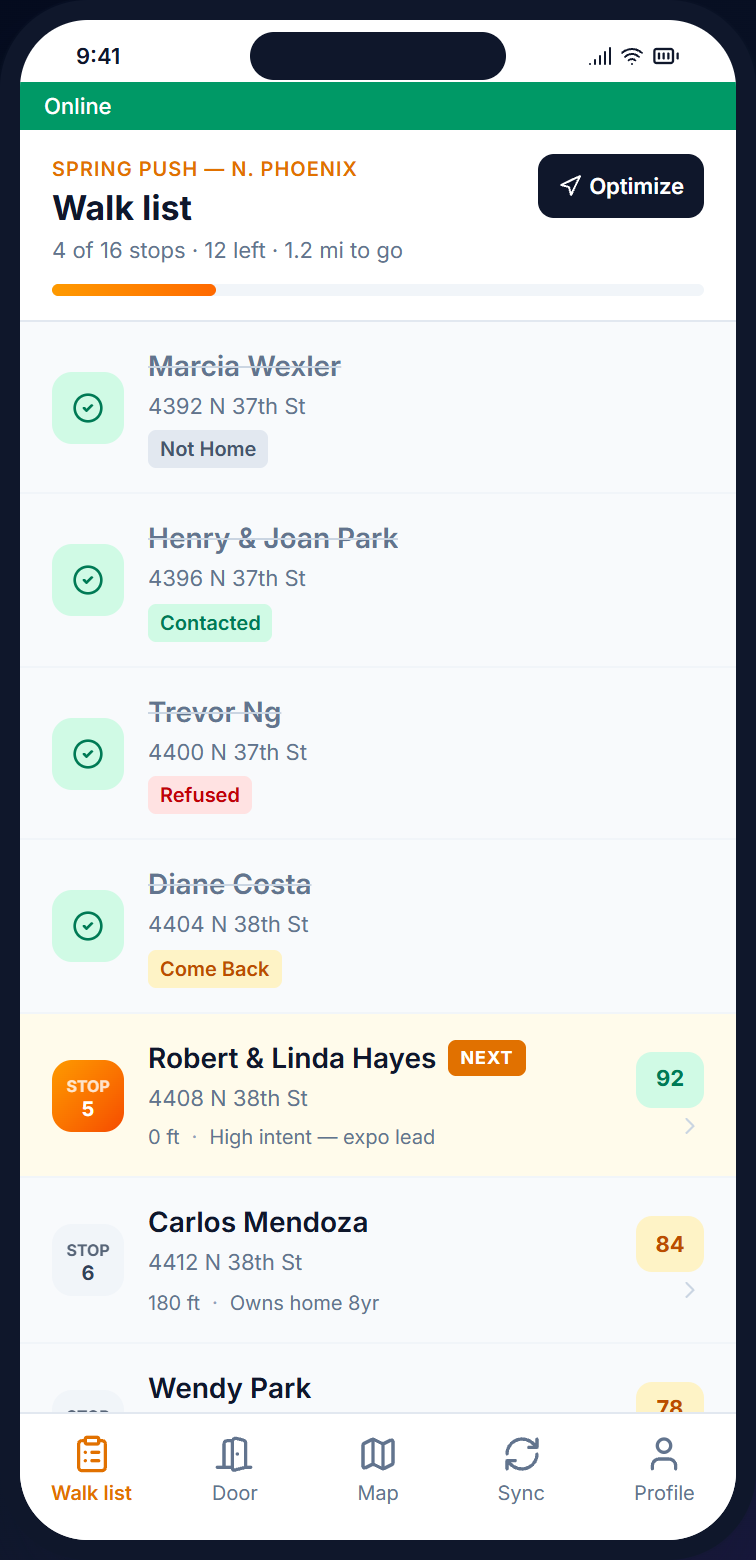
Beacon mobile walk list showing route order, distance to next door, and lead score per stop for the Sunbeam Solar Spring Push
Built for  route-driving sales crews · get-out-the-vote (GOTV) door teams · petition canvassers street order · priority leads first · turn-by-turn directions

Capabilities

Walk list optimization that follows the street grid

Each walk list arrives already in route order, and canvassers can tap any contact to open turn-by-turn directions in the phone's maps app. Priority leads are placed at the top of the route, so canvassers reach them early in the shift.

/01, SOLVER

Route planning for canvassers, ordered by street

Beacon builds a short, sensible route across every door on the list. The nearest-neighbor step creates a first route, and the 2-opt step removes obvious detours. A typical walk list is finished in well under a second.

  • Up to 500 contacts in milliseconds
  • Distance measured between mapped addresses
  • Walking or driving mode

/02, PRIORITY

Priority lead weighting in the walk list

High-score leads, contacts tagged as hot, and VIPs can each be moved earlier in the route, so priority doors are knocked first in the shift.

  • Lead-score weighting
  • Tagged contacts moved earlier
  • Set for each campaign

/03, HANDOFF

Canvassing route with turn-by-turn directions

The route appears on the mobile map with stop numbers and the distance to the next door. Tapping a contact opens Apple Maps or Google Maps for directions.

  • Stop sequence on the map
  • Distance-to-next-door label
  • Tap a contact for directions

Why it matters

Why canvassing route optimization matters: an unsorted list wastes walking time

An unsorted walk list sends canvassers back and forth, so they may cross the street four times when once would do. On a 100-door shift, that adds roughly an hour of walking. Once Beacon builds the route, the order follows the street grid.

  • Unsorted import Back and forth · imported file order
  • Sorted walk Street order · priority first
  • Mode Walking or driving
  • Re-run Anytime the list changes
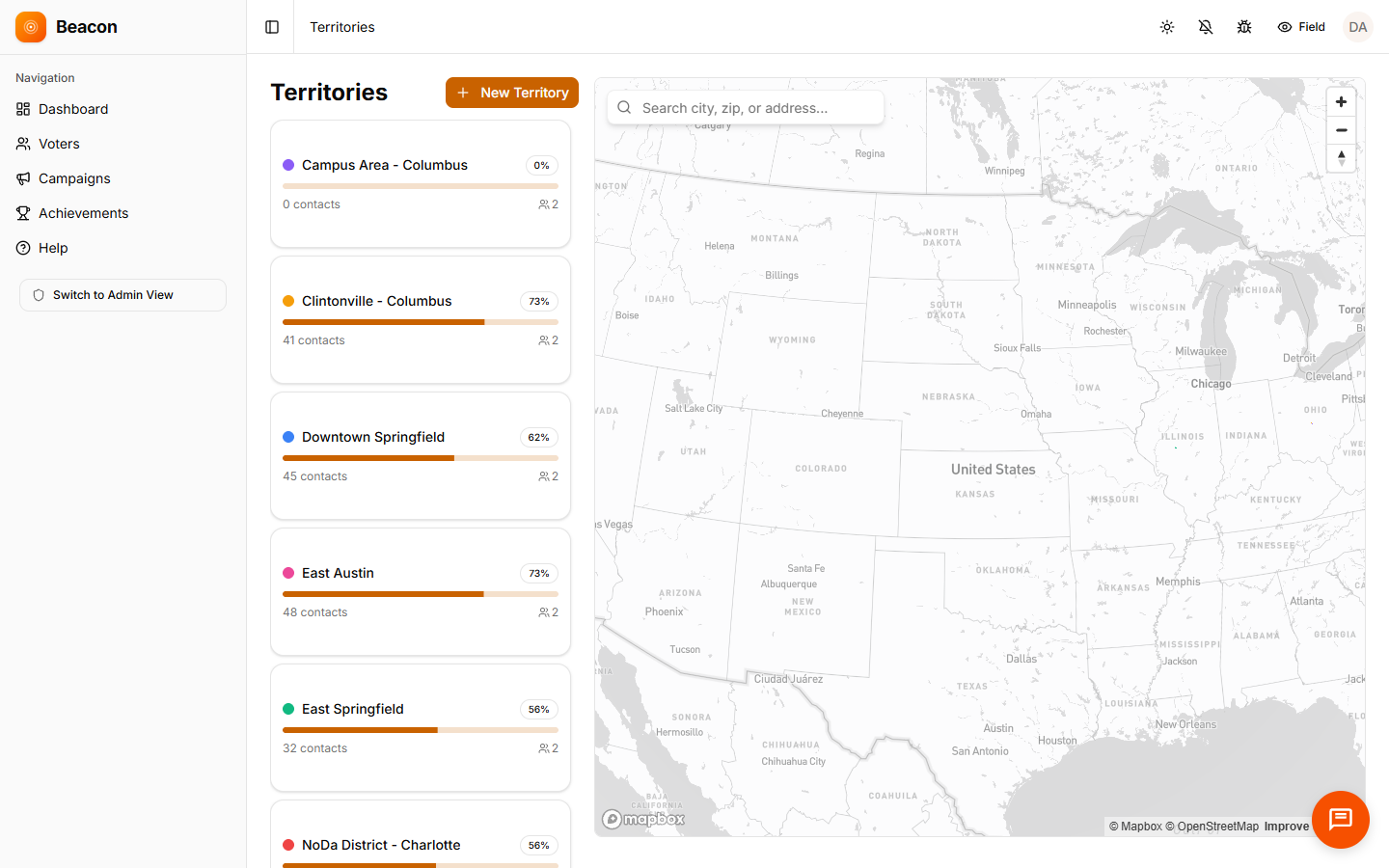
Beacon territories map showing turf assignments and route context for canvasser walk lists

How a route gets built

How walk list optimization works, from import to street

Run it once when the campaign starts, then run it again whenever your target list changes.

/01

Pick the campaign

Choose a campaign and a turf (an assigned area). Beacon loads every contact in the walk list along with its location on the map.

/02

Click optimize

The route is calculated in your browser. The nearest-neighbor step builds a first route, the 2-opt step removes obvious detours, and the route appears on the map.

/03

Send to phones

Canvassers see the ordered list with stop numbers and distance markers. Tapping a stop opens directions in the phone's maps app.

/04

Re-run on change

If you add canvassers, remove a turf, or change a list, run the route again. Canvassers' phones receive the new route the next time they update.

FAQ

Canvassing route optimization questions, answered

Q / 01

What method does the canvassing route solver use?

The nearest-neighbor method creates a first route, and the 2-opt method then swaps stops repeatedly to shorten the path. This is a standard, practical approach to route planning. It does not guarantee the shortest possible route, but the result is very close in practice.

Q / 02

How are priority contacts handled in the sorted walk list?

Lead score, tags, and statuses can each be set to move a contact earlier in the route. Set the rules once for the campaign, and they apply every time the route is rebuilt.

Q / 03

Does route optimization support walking or driving routes?

Yes, both. The solver keeps the total distance as short as possible, which works either way, and the mobile map opens Apple Maps or Google Maps for turn-by-turn directions.

Q / 04

How big a walk list will canvassing route optimization handle?

The built-in solver handles up to roughly 500 contacts in well under a second. Larger programs, or programs with extra limits such as time windows or capacity, can use a solver that runs on Beacon's servers.

Start planning routes

Cut wasted walking with canvassing route optimization

Open an account, import a list, and click optimize. When the canvasser opens the app, the route is ready.

Free trial
14 days, no card
Every plan
Includes route optimization
Canvassers
Unlimited on every tier