Beacon runs the field side of a nonprofit program — contact lists in, regions cut, outreach lists on volunteer phones, and coverage on a live dashboard. The vocabulary is volunteers, contacts, regions, and outreach lists, with GPS-verified signatures, multilingual surveys, and grant-ready exports built in.
— Regions
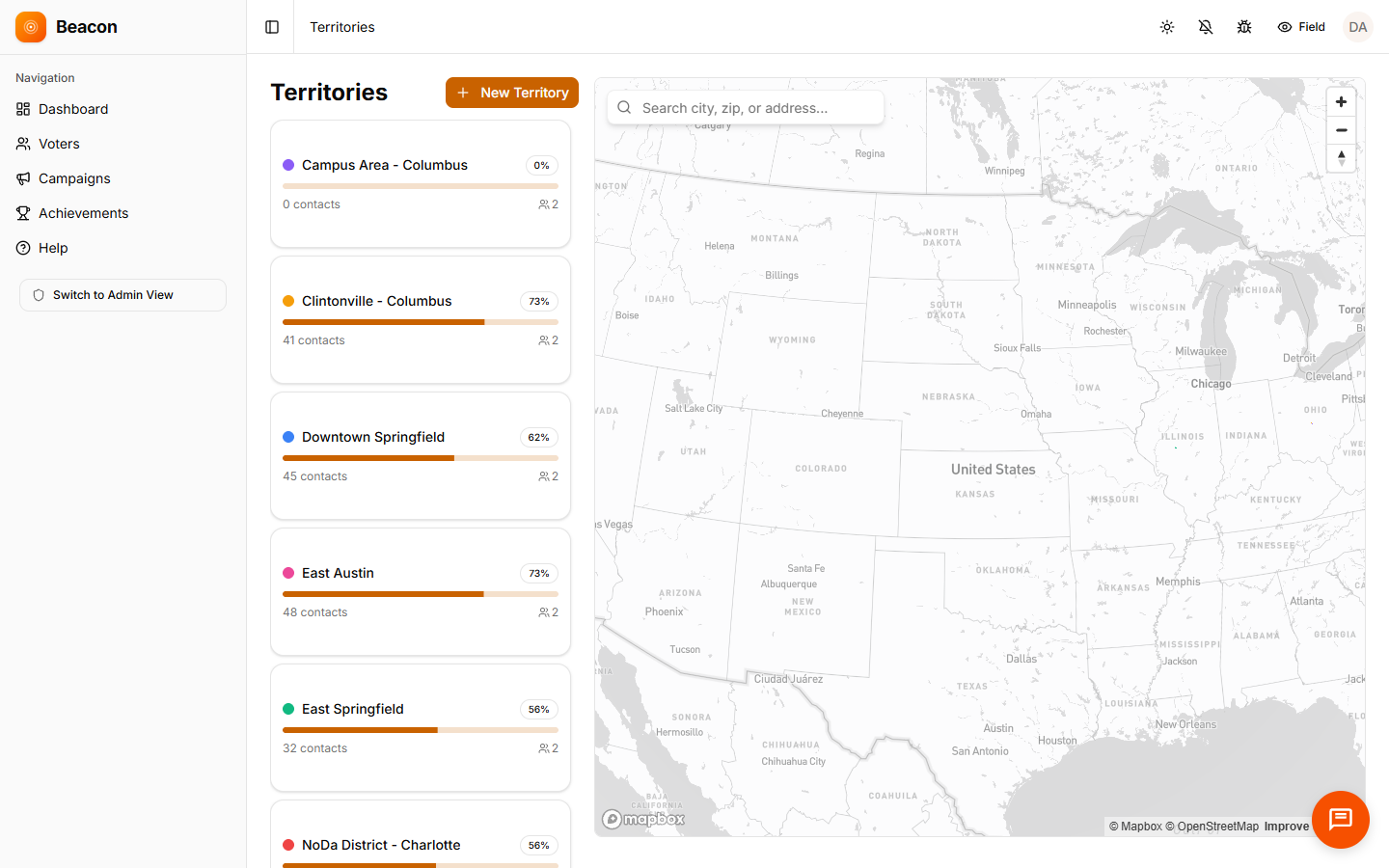
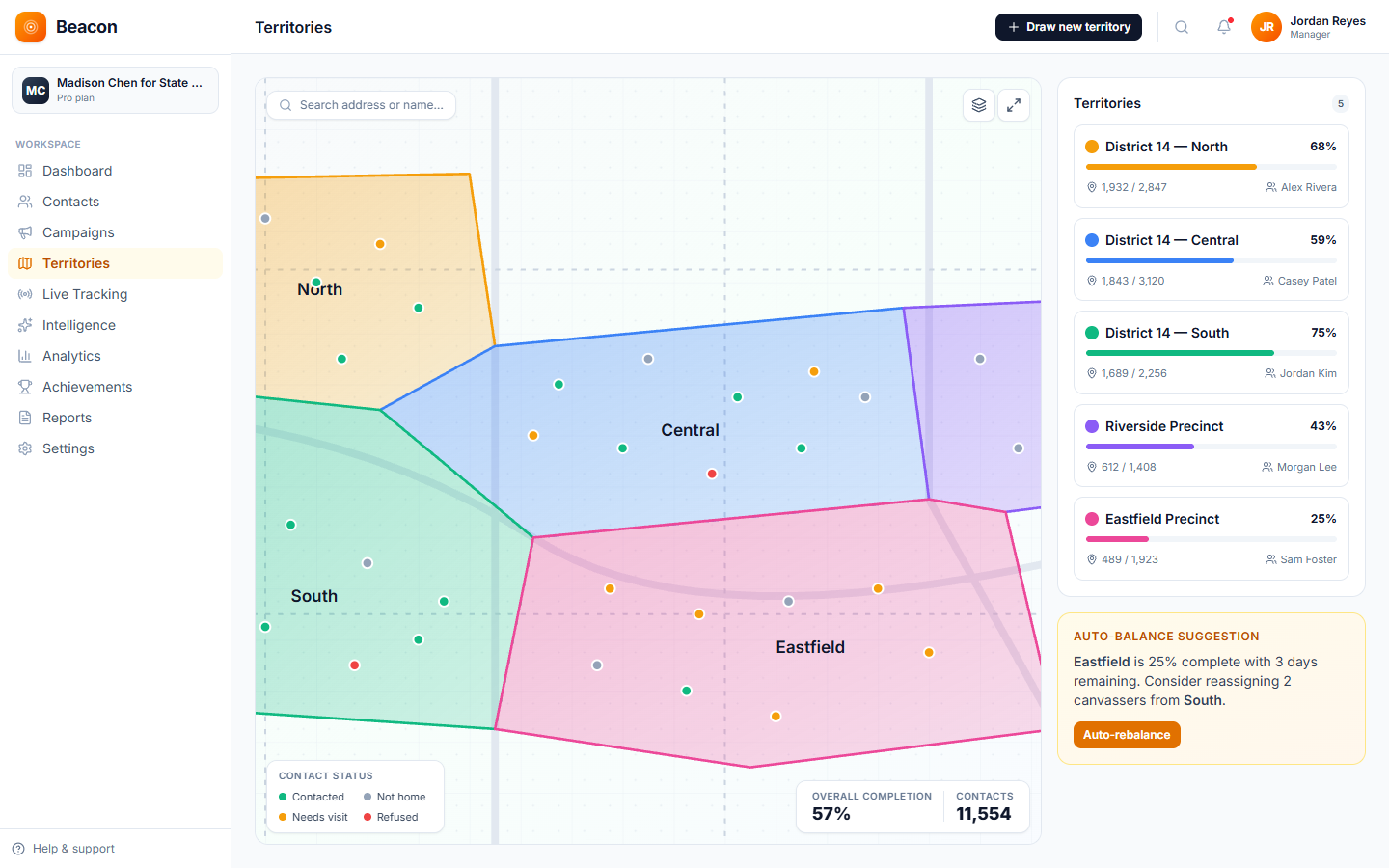
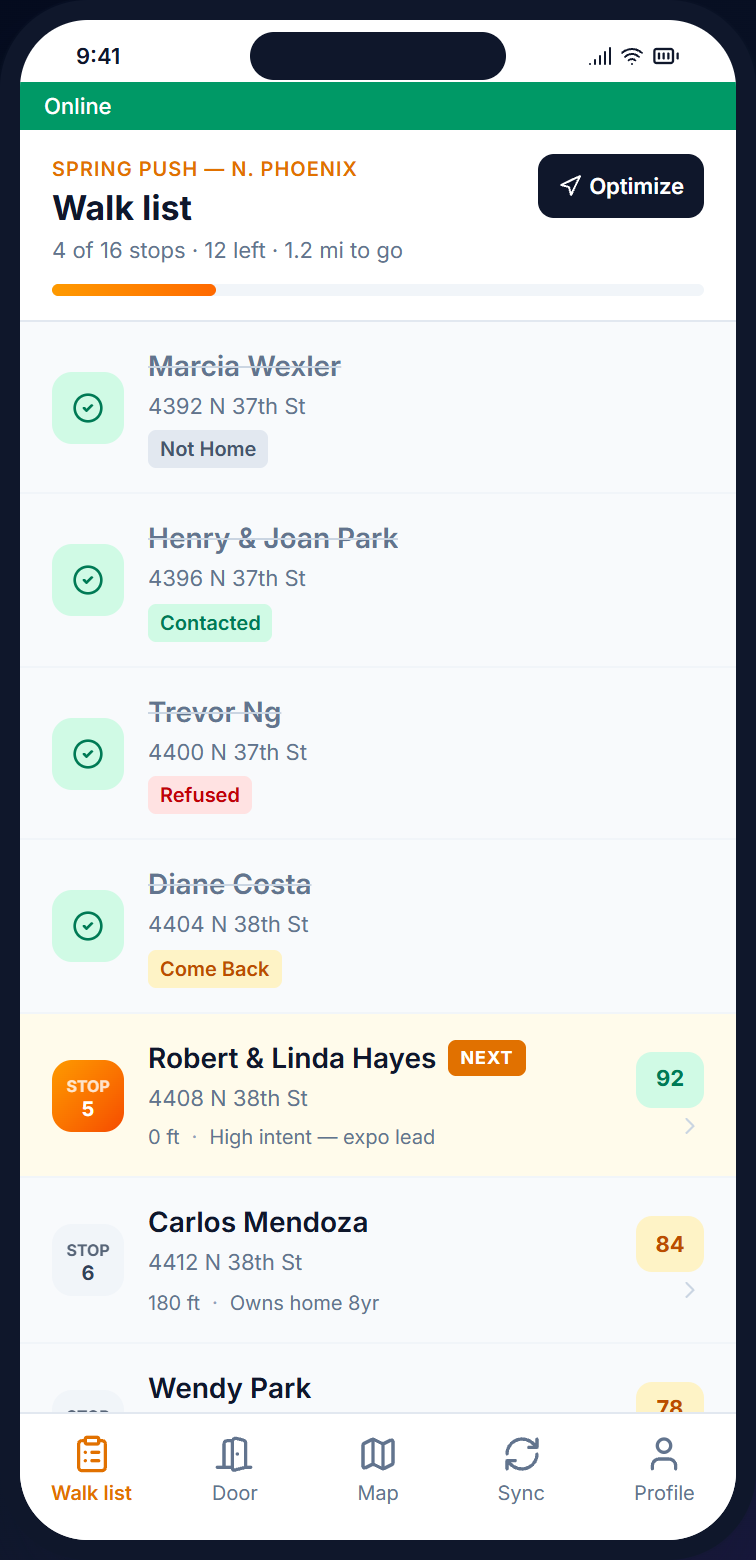
Draw a polygon around a region, name it, and assign volunteers. The contact list inside becomes an outreach list, ordered by street so volunteers aren't doubling back. Signature drives get automatic duplicate detection, and every signature carries GPS for jurisdiction proof at the elections board.
— The platform
Every contact, signature, and survey response writes to the same record the coordinator is looking at, so paper clipboards and end-of-night spreadsheet reconciliation aren't part of the workflow. Grant reports export with one click.
/01 — DESK
The desk-side console for cutting regions, drafting surveys, and assigning volunteers, with a coverage map that fills in as the team works through its outreach lists. Grant-ready reports export from the same view, without manual aggregation.
/02 — DOOR
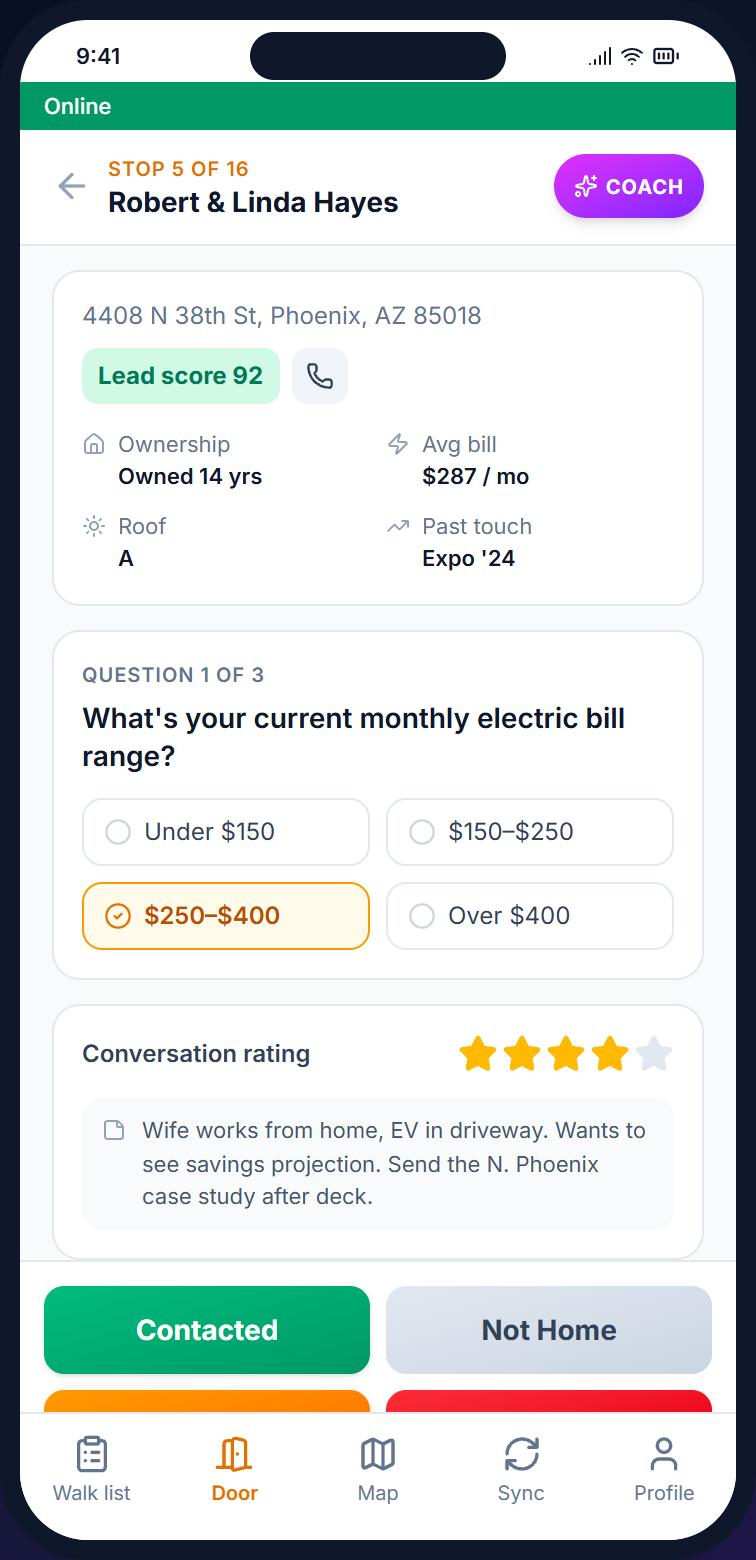
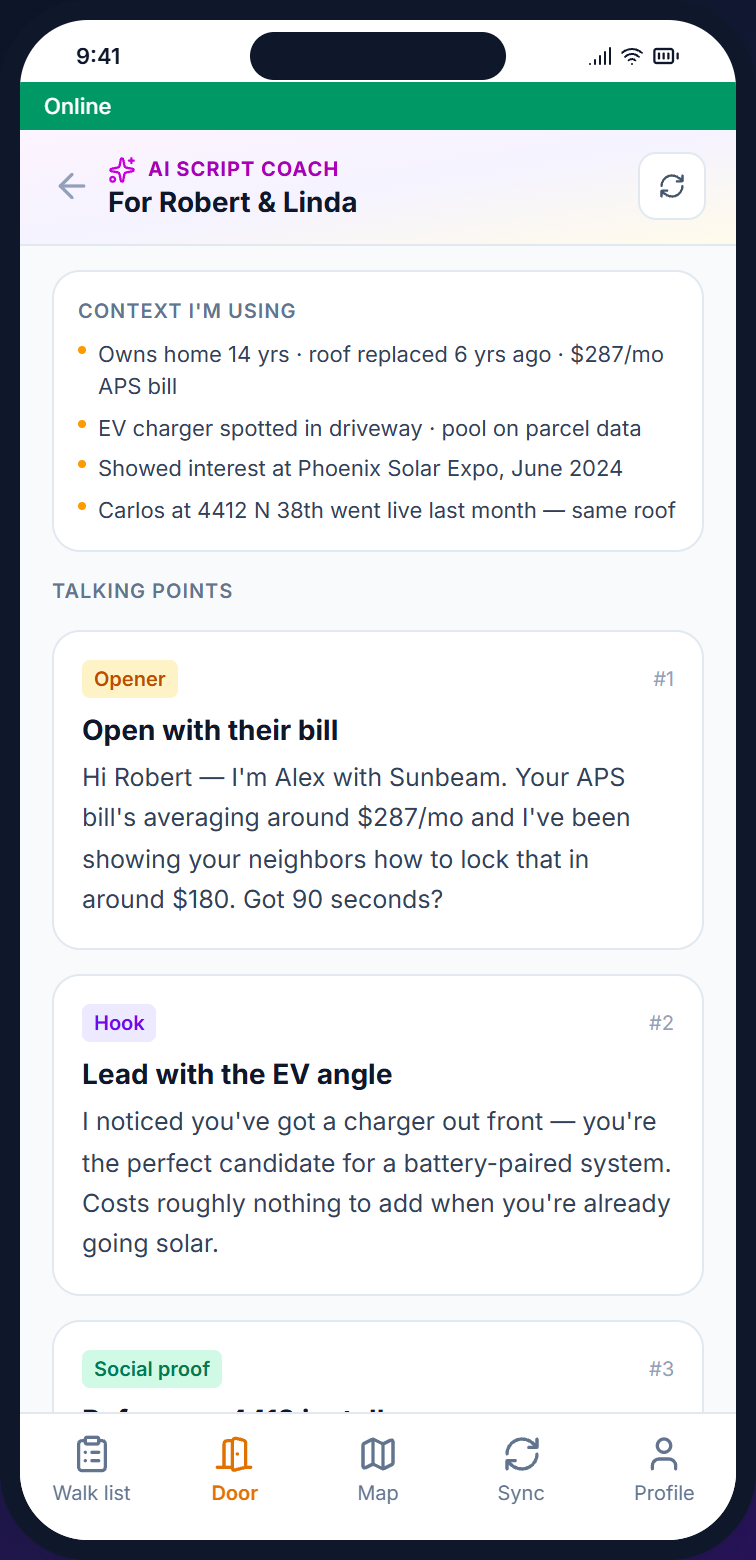
The mobile side of the platform, with the outreach list, contact screen, survey, and sync queue all running on a volunteer's phone. Anything captured without cell signal is held locally and synced when the connection returns. Most volunteers are oriented in under five minutes.
/03 — MAP
Each contact updates the map as it happens, so coverage by region, signatures by zip, and support level by neighborhood are all visible on the dashboard without anyone needing to run a report.
— Program types
A petition drive and a member renewal program have different data needs. The platform configures around what each program is trying to capture, so the same install handles both without being rebuilt.
Signatures are captured on-screen with GPS and timestamp, and fuzzy-match catches duplicates by name and address before they're saved. Exports come out in the format the election board wants.
Captures: Signed · Refused · Out of Jurisdiction · Duplicate
Form validation at the point of capture catches missing fields before the registrant walks away, which cuts rejection rates at the elections board. Coverage heatmaps show which blocks still need a volunteer, and the dashboard carries a deadline countdown.
Captures: Registered · Already Registered · Ineligible · Follow-Up
Renewal door knocks at scale, issue surveys with structured response options, and per-contact language preference for programs that need to reach households in a language other than English.
Captures: Renewed · Pledge · Issue Priority · Volunteer
— How a region gets covered
The loop is the same whether the program is a 500-signature petition in one ward or a 30-volunteer member drive across five regions. The setup work fits in an afternoon for most teams.
/01
Bring a CSV, voter file, or member CRM export. Beacon geocodes contacts on the way in and carries language preference through if your file has it.
/02
Polygon territories and the contacts inside become an outreach list, with auto-balance suggestions if regions run too heavy or too light for your volunteer count.
/03
Volunteers run the contact screen — capturing signature, survey response, and follow-up flag — with GPS verification on every signature and offline-safe operation in rural and community-center settings.
/04
Coverage map, contacts reached, signatures collected, and demographic reach all roll up into a one-click grant-ready PDF or CSV.
— On the doorstep
Language preference, prior conversations, and household context all surface on the contact screen. Signature capture is one tap away with GPS and timestamp logged. The app continues to work offline and syncs when cell signal returns.
See the volunteer flow →
— Nonprofit FAQ
/Q — PRICING
Pricing is by the size of the contact list, not the volunteer count or organization type, so bringing 5 volunteers or 50 doesn't change what you pay. There are six tiers, from Starter at $59 (2,500 contacts) up to Enterprise at $599 (250K+).
/Q — SIGNATURES
Most jurisdictions accept GPS-tagged digital signatures with timestamp and IP, and exports come out as print-ready PDFs in the format you specify. Always check with your local board first; we'll help format the export.
/Q — LANGUAGES
Per-contact language preference across 12 languages. Surveys can be authored in any language, and the volunteer sees the contact's preferred language tagged on the contact screen.
/Q — DUPLICATES
Fuzzy-match on name and address detects duplicates as they're collected, and the volunteer sees a flag at the door before the signature is saved. That keeps duplicates out of the file before it goes to the board.
/Q — REPORTING
One-click export of contacts reached, demographic breakdown, geographic coverage, and survey results, as PDFs and CSVs formatted for funders.
/Q — SETUP
Most programs are out within three days of signing up. The account is live the same day, the contact list imports in the background while you draw your first region, and outreach lists are on volunteer phones by the next morning. Onboarding is handled by a real person, not a chatbot.
— Start the drive
Open an account, import your contact list, and draw your first region. Within a few days your volunteers will be out knocking with route-ordered outreach lists on their phones, and the coverage heatmap will be filling in as they go.