FEATURE / 08 · ANALYTICS & REPORTING · LIVE DASHBOARDS

Canvassing analytics & field reporting, measure everything, report effortlessly.

The dashboard shows doors knocked, contact rate, and conversion, with trend charts, a conversion funnel (results at each stage), contact rate by territory, and a list of top performers. It updates as results come in, filters by campaign and turf (a canvasser's assigned area), and exports to CSV. It is included on every Beacon plan.

Updates
Live · seconds
Filters
Campaign · turf · date
Export
CSV · PDF · webhook
CAMPAIGN ANALYTICS · KEY NUMBERS · FUNNEL · TURFS
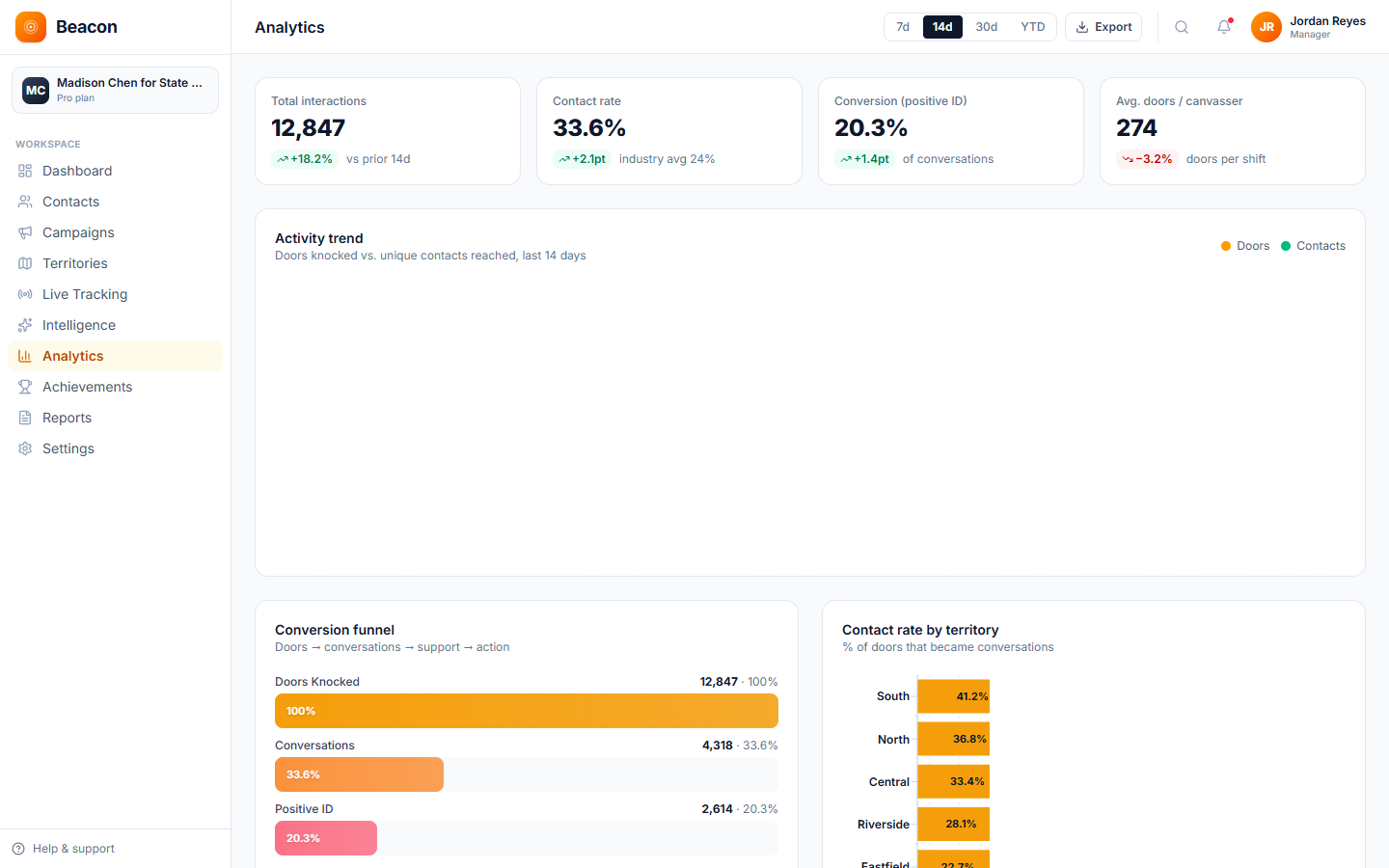
Beacon analytics dashboard with KPI cards, daily knock trend, conversion funnel, contact-rate-by-territory bars, and top-performer list
Tracks  doors knocked · contact rate · conversion · trend · funnel · top performers live updates · filters · CSV / PDF export · scheduled email summaries

What's on the dashboard

The canvassing analytics dashboard, structured around three questions

The dashboard is organized around the three questions a field director asks each day: are we knocking on enough doors, are those visits producing results, and which canvassers and turfs are doing the most for the program.

/01, VOLUME

Canvassing analytics key numbers & trends

See doors knocked, contacts made, contact rate, and daily and weekly trend lines. All of it filters by campaign, territory, date range, or canvasser, and updates within seconds of new results.

  • Doors / contacts / contact rate
  • Daily & weekly trend charts
  • Filter by campaign · turf · date · canvasser

/02, CONVERSION

GOTV (get-out-the-vote) reporting funnel & territory breakouts

The conversion funnel runs from contact to positive disposition (door result) to follow-up. Contact rate is broken out by territory, so turfs that are falling behind are visible early in the cycle.

  • Conversion funnel view
  • Contact rate by territory
  • Door results for each turf

/03, PEOPLE

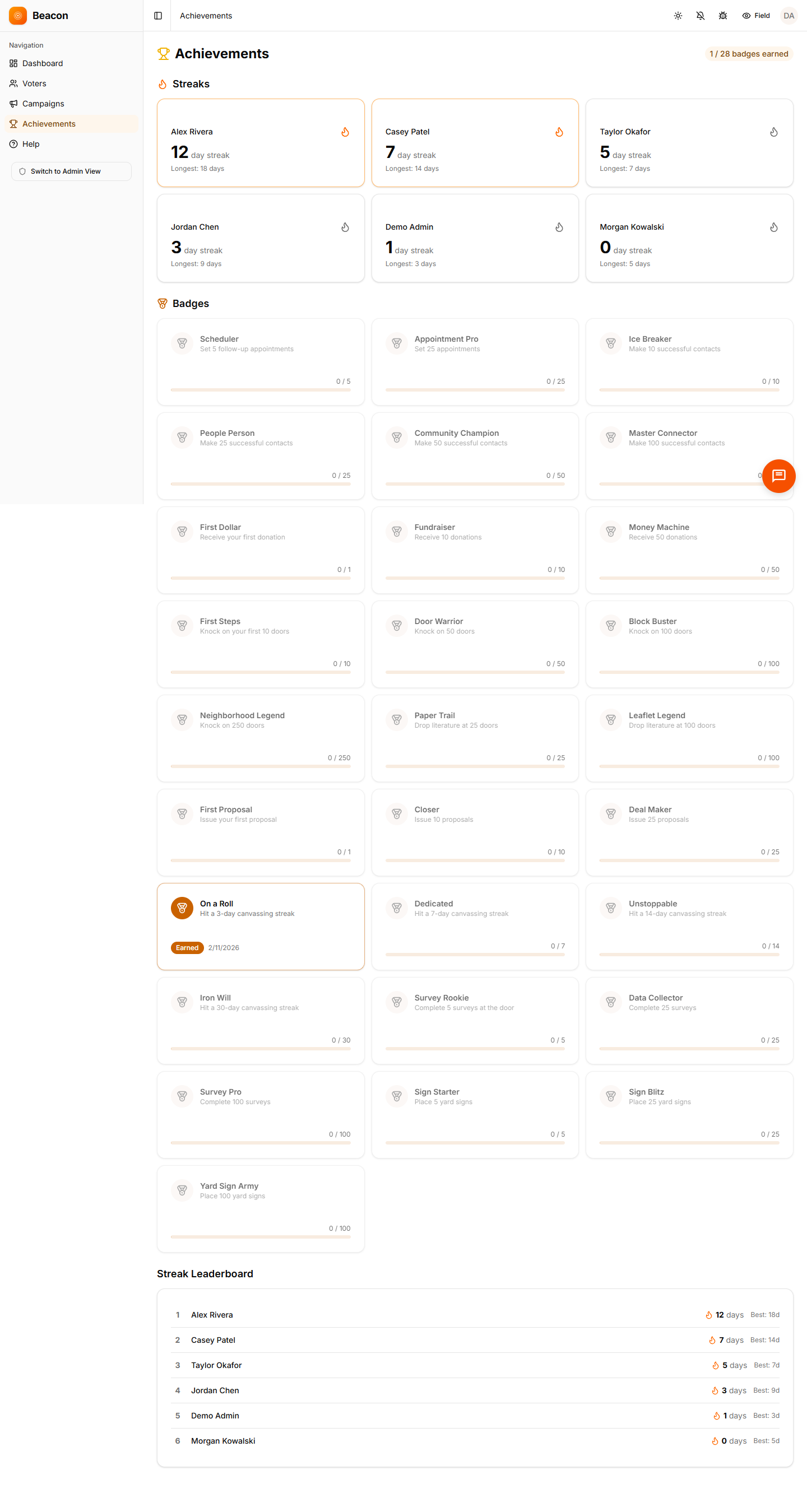
Field reporting leaderboards, badges & streaks

Top performers are ranked by doors, contact rate, or custom measures, with badges, streaks, and team leaderboards added. Each organization can choose whether to use these game-style features.

  • Top-performer leaderboard
  • Badges & streaks
  • Custom rank metrics

Reporting that doesn't need a spreadsheet

Scheduled field reports sent to your inbox

Daily and weekly summaries are emailed to the addresses you choose. They cover top performers, key numbers, territory progress, and trends, formatted for a morning team meeting or a board update.

  • Daily email summary key numbers + biggest changes
  • Weekly performance report trends + funnel + each turf
  • PDF campaign summary ready for your board, one click
  • CSV export contacts · interactions · surveys
  • Webhook feed live updates to your own database
Beacon team leaderboard and badge view showing canvasser ranks, streaks, and earned achievements

How a campaign gets measured

How canvassing analytics flow from first knock to grant-ready report

The process is the same for a 250-door precinct effort or a 12,000-door state representative race.

/01

Results arrive

Every knock, contact, and survey response recorded in the mobile app appears on the dashboard within seconds, with no manual entry, spreadsheets, or end-of-day record matching.

/02

Watch live

Key numbers, trends, and the activity feed update as results come in. You can filter by territory or canvasser to find gaps and reassign people while there is still time.

/03

Schedule a summary

Choose a daily or weekly schedule and a list of recipients. Reports arrive by email, formatted for the morning team meeting or the weekly board update.

/04

Export & debrief

When the cycle ends, export a CSV or PDF in one click. If you use your own reporting software, a webhook feed can send the raw data to your database.

FAQ

Canvassing analytics & reporting questions, answered

Q / 01

What metrics does the canvassing analytics dashboard track?

It tracks doors knocked, contacts made, contact rate, the split of door results, interactions per hour, daily and weekly trends, the conversion funnel, contact rate by territory, and each canvasser's performance. You can filter all of it by campaign, territory, date range, and canvasser.

Q / 02

How do scheduled email field reports work?

Organization admins choose how often reports go out (daily or weekly) and who receives them. Each report includes key numbers, top performers, territory progress, and trends, and arrives at the scheduled time as a formatted email with an optional PDF attachment.

Q / 03

What game-style features are included with canvassing analytics?

Badges (such as First Door, Century Club, and Perfect Day), canvasser streaks, and ranked leaderboards are all included. Badges are awarded automatically when a canvasser reaches a set level, and leaderboards rank by doors, contact rate, or a custom measure you define.

Q / 04

Can I export raw canvassing analytics data for my own analysis?

Yes. Contacts, interactions, and survey responses all export to CSV or Excel, and PDF campaign summaries take one click. The webhook feed also sends live updates to your own database or reporting software.

Start measuring

The canvassing analytics dashboard fills in on your first knock

Open a Beacon account, send canvassers out with a walk list (their assigned addresses), and watch the numbers fill in. Schedule a summary to get field reports in your inbox tomorrow morning, with no data entered by hand.

Every plan
Analytics included
Updates
Live · seconds
Export
CSV · PDF · webhook