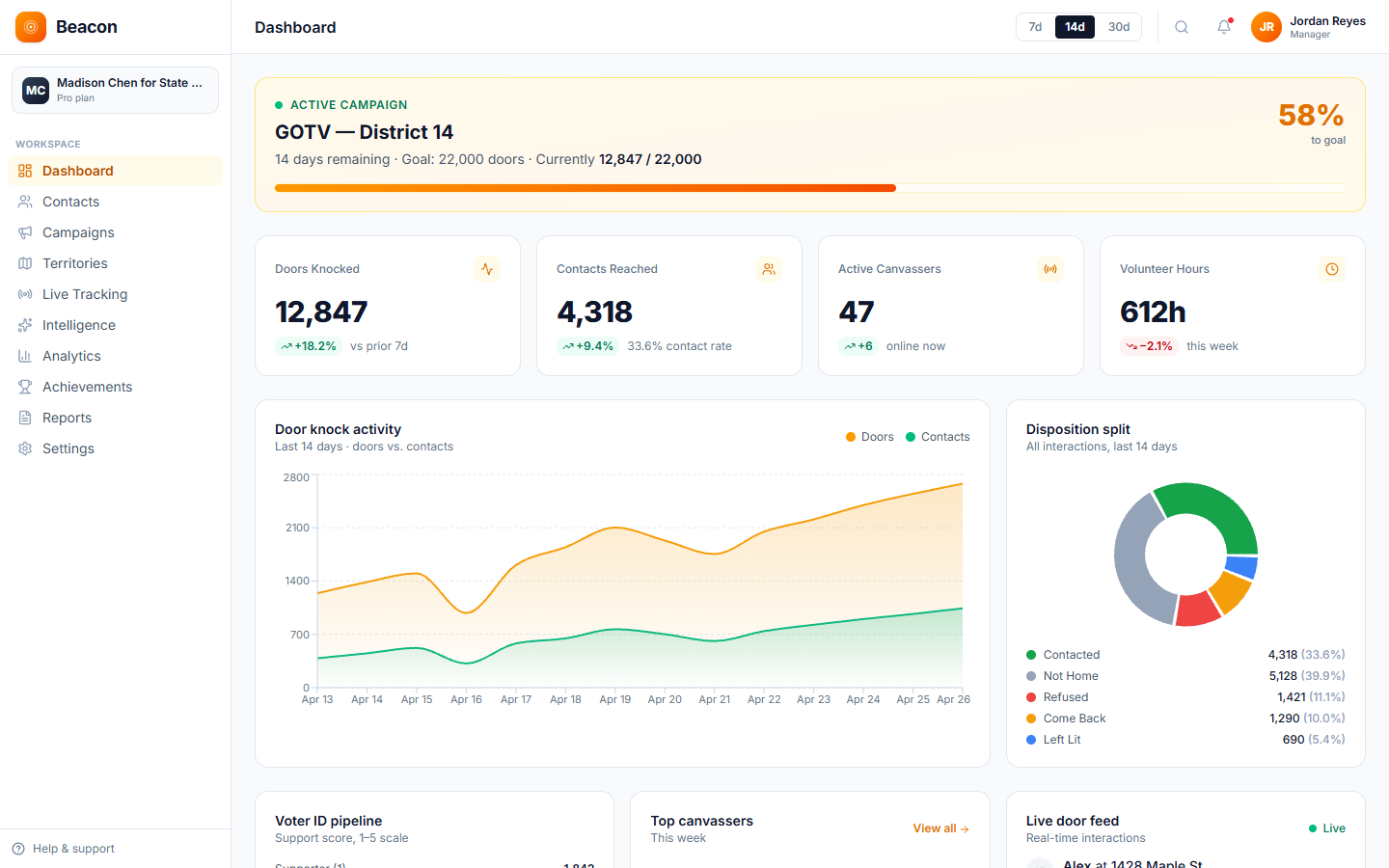
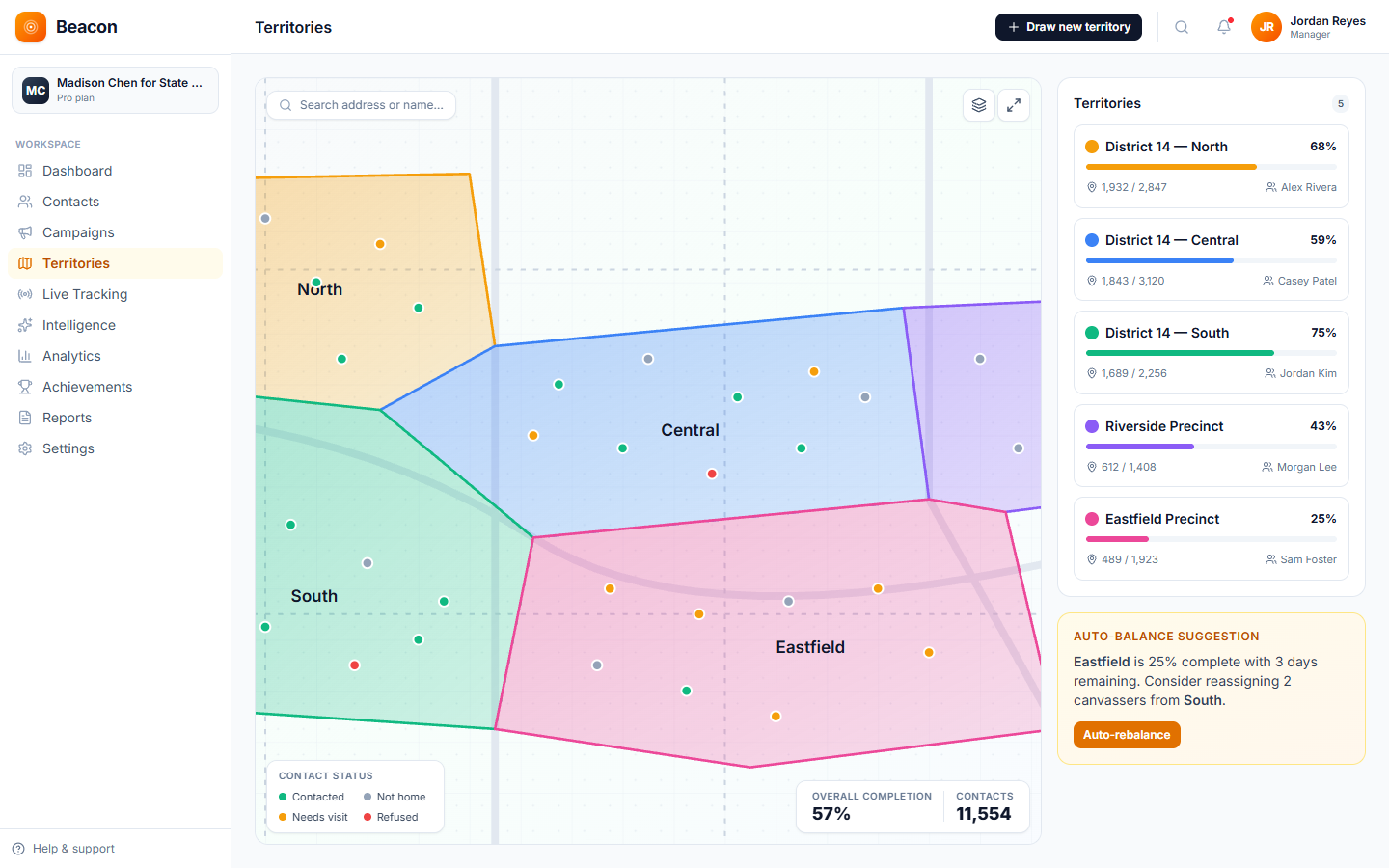
Beacon manages the field side of a voter registration drive, including canvassing (visiting people in person to help them register). You divide the area into coverage zones, registrars use the app to record each conversation and follow-up, and the campaign tracks progress toward its door goal. The voter completes the official registration form, on paper or through the state's online system, and the coverage map fills in as the drive goes on.
Coverage
Draw a shape around a ward or neighborhood, and the map fills in as registrars work through it. Each address is a pin colored by its status, and each area shows the share of addresses reached. The coordinator can send more volunteers to the gaps without driving out to check.
The platform
Every conversation and follow-up is saved to the same record the drive coordinator sees on the dashboard, so the coordinator knows which blocks are finished, and no one matches spreadsheets the night before the deadline.
/01, DESK
The office screen where you set the door goal, draw the area the drive will cover, assign volunteers, and follow the count as it grows. The coordinator manages the program from this dashboard, and the campaign records its end date.
/02, DOOR
The phone app for registrars. It holds the walk list in route order, the door result buttons, your survey questions, and an upload queue. Anything recorded without cell signal is saved on the phone and uploaded when the connection returns.
/03, MAP
Each door result updates the dashboard as it happens. It shows coverage by area, conversations by registrar on the leaderboard, and progress toward the door goal, so no one needs to run a report.
Follow-up
The registrar records each conversation and any follow-up, and survey questions can capture a phone number or email, so the team has what it needs to follow up later: confirming that the registration went through, sharing the election date, and pointing people to their state's polling-place locator.
How a drive runs
The steps are the same for a short campus drive in the final week and a year-long county-wide registration program. Most drives can finish the setup in an afternoon.
/01
Enter the campaign's end date and your door goal. The campaign list shows progress toward the goal as soon as the program starts.
/02
Draw shapes around wards, neighborhoods, and campus zones, then assign volunteers to each zone. Each address on the map is colored by its status as it is canvassed.
/03
Registrars record each conversation, its result, and any follow-up, and the voter fills out the official registration form on paper or online. This works offline, and the records upload when signal returns.
/04
Paper forms go to the election authority by the method and deadline your state sets. Each registrant's contact details and follow-up notes stay on their record, so the team can confirm the registration and share election and polling-place information later.
Drive types
A 14-day push before the deadline and a year-round nonpartisan civic-engagement program record different information. You set up Beacon around what each drive is trying to accomplish, so the same account handles both.
Every volunteer works toward a firm target. The coverage map shows the gaps so the coordinator can reassign volunteers, and the campaign shows progress toward its door goal.
Captures: Registered · Updated Address · Already Registered · Ineligible
For first-time voters, dorm addresses, and pre-registration for 16- and 17-year-olds where allowed. A table at the student union and visits to dorm room doors both use the same app, and language preferences can be imported for international students.
Captures: First-Time · Pre-Reg · Dorm Address · Language
For nonprofits that run registration as ongoing civic engagement, including newly naturalized citizens, address-change updates, and motor-voter follow-up (registration offered when people apply for a driver's license). PDF activity reports and CSV exports support grant applications.
Captures: Newly Naturalized · Address Change · Re-Registration · Demographics
Drive FAQ
/Q, FORMS
No. The voter completes and signs the official registration form, on paper or through the state's online registration system. Beacon routes your volunteers, records each conversation and any follow-up, and shows which blocks still need a visit.
/Q, RECORDS
The registrar records the door result, the answers to your survey questions, and any follow-up, such as a follow-up visit for a voter who plans to register online. Survey questions can capture a phone number or email, and staff can add both to the contact record in the web dashboard.
/Q, OFFLINE
Yes. The mobile app keeps working without cell signal. Conversations are saved to the phone and uploaded to the server when the connection returns, so the registrar does not lose the entry. It works in basements, dorms, and parks with no signal.
/Q, PRICING
No. Pricing is based on the number of contacts (the people on your canvass lists), not the number of volunteers, so 5 staff or 200 volunteers cost the same. There are six tiers, from Starter at $59 up to Enterprise at $599.
/Q, REPORTING
Yes, in part. A one-click PDF report shows totals, door results, daily activity, and a leaderboard by volunteer. You can export contacts, door results, and survey answers to CSV to build the breakdown your funder asks for.
/Q, SETUP
Most drives are registering voters within three days of signing up. The account is live the same day, the coverage area is drawn during onboarding, and registrars download the app the same afternoon. White-glove onboarding ($249 to $999) is available for drives with a close deadline.
Start registering
Open an account, draw your coverage zone, and set the deadline. Within a few days, your registrars will be at the doors with walk lists on their phones, and the coverage map will fill in as they go.