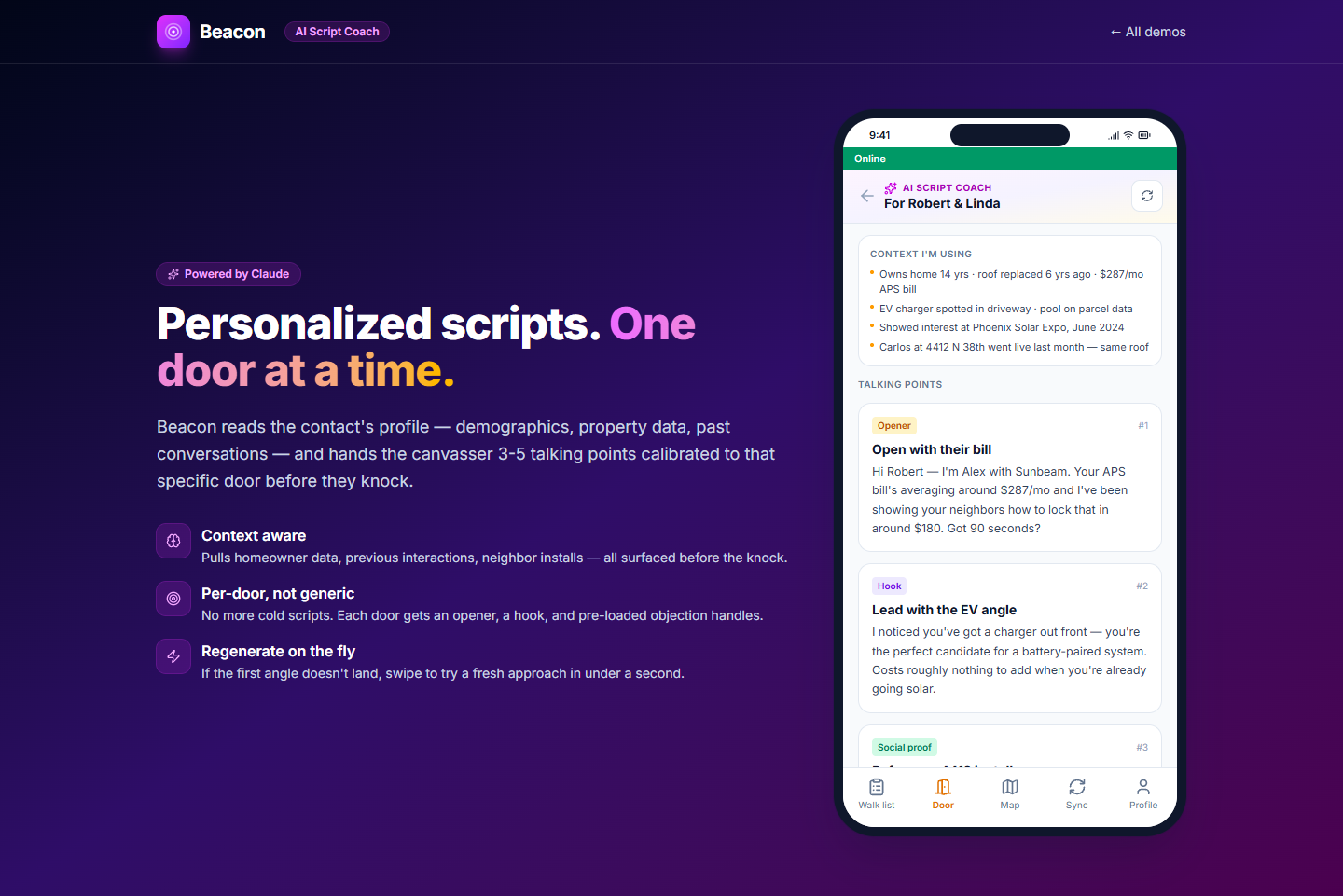
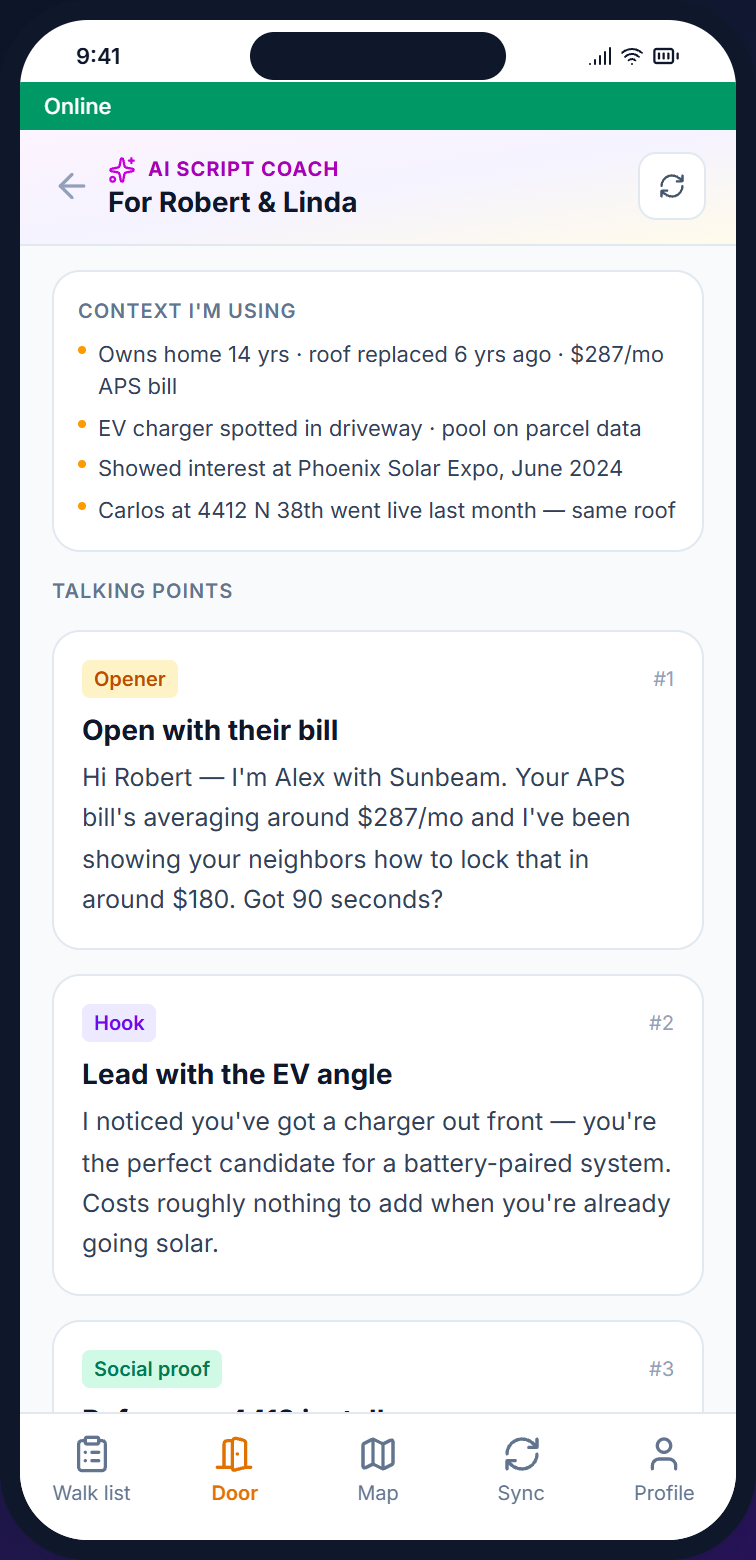
When a canvasser going door to door taps a contact, the coach reviews the contact's record (party, voter score, lead score, tags, and language preference), past dispositions (results of earlier visits), and your campaign script. It then writes an opening line and three to five talking points suited to the household. The text is generated by Claude, an AI model.
Capabilities
Most AI canvassing tools give a general-purpose AI model general instructions. The Beacon coach receives your campaign script, the contact's record, and the results and notes from earlier visits to the household.
/01, INPUT
Each request gives the AI model the contact's voter score, party, lead score, tags, and language preference, plus earlier dispositions and notes.
/02, OUTPUT
The coach writes a personal opening line and three to five talking points in the campaign's own voice instead of generic wording.
/03, PLACEMENT
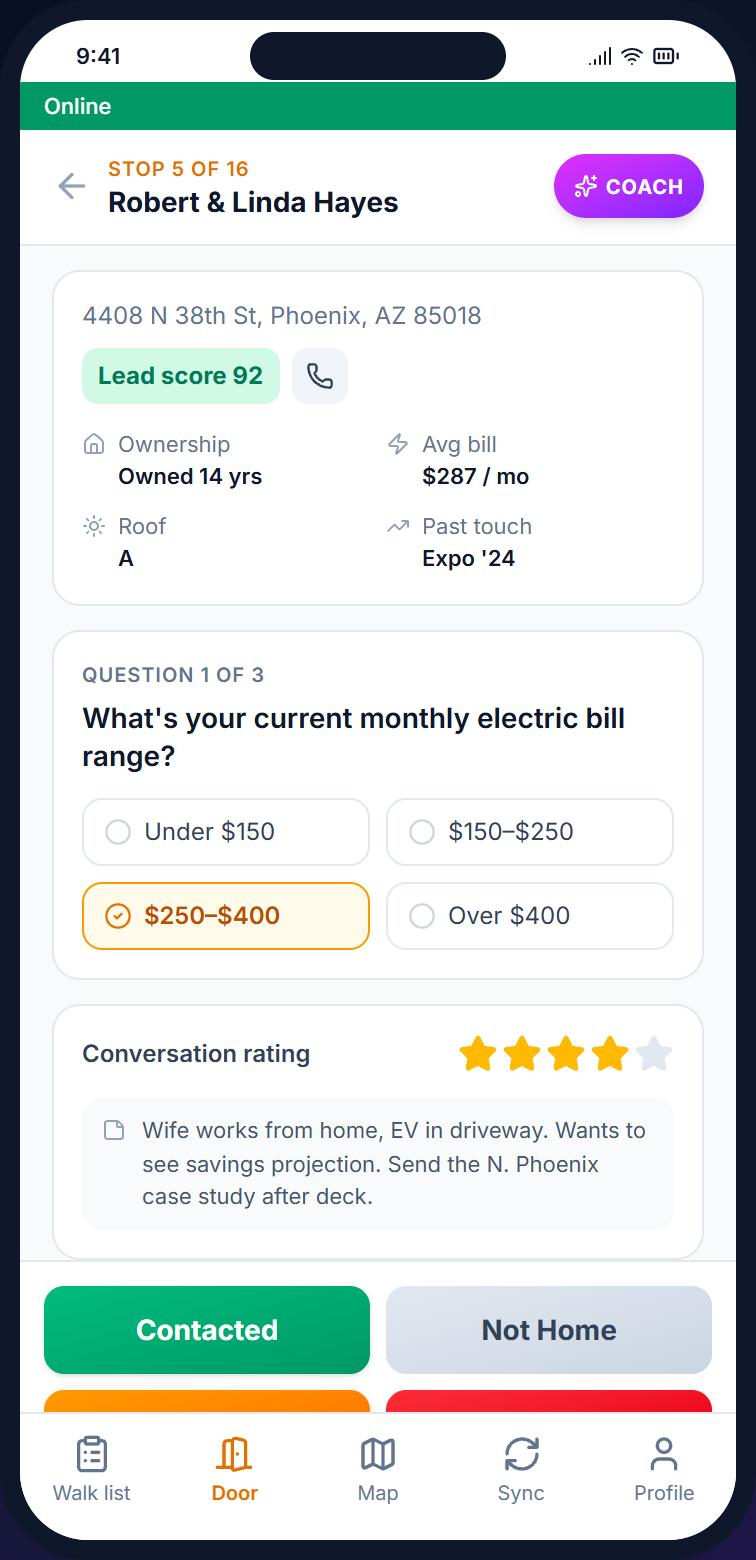
The "Get AI Talking Points" button is on the mobile door screen, and a separate coach view shows the full profile and the generated script side by side.
On the doorstep
Before the canvasser knocks, the door screen shows the household name, the lead score, and notes from earlier visits. The coach uses that information to draft an opening line based on what is already known about the household.
See the canvasser app →
How a coaching request works
/01
From the walk list (the canvasser's assigned addresses) or the door screen, tap "Get AI Talking Points." The coach loads the contact's profile and the campaign script.
/02
The AI model writes a personal opening line and three to five talking points in the campaign's voice. Responses arrive within a few seconds on a normal connection.
/03
The script appears on the phone. Read it once before knocking and again after recording the result. It is saved on the phone for offline reading.
/04
The coach uses earlier interactions, so whatever happens at the door (interested, refused, follow-up) is included the next time it prepares talking points for that contact.
FAQ
Q / 01
The coach uses Anthropic's Claude. Talking points at the door use a faster version of Claude, and background tasks such as summarizing notes use a lower-cost version. Your data is sent to Claude through its API and is never used for model training.
Q / 02
It sees the contact's name, address, status, party, voter score, lead score, tags, and language preference, the results and notes from up to five earlier visits, and the campaign's script.
Q / 03
Writing new talking points requires a connection because the request goes to Claude. The most recent talking points for each contact are saved on the phone and can be read offline. Contacts without saved talking points get a simpler rule-based version.
Q / 04
Yes, through the script. Campaign admins write the campaign script, and the coach follows its wording and tone each time it writes talking points. There is no separate tone setting.
Q / 05
Yes. AI Script Coach is a paid add-on that you can add to any Beacon plan from Starter to Enterprise, and no plan includes it. AI Basic costs $29/month ($23/month billed annually) and includes 500 coaching requests a month, then $0.12 for each additional request. AI Advanced costs $99/month ($79/month billed annually) for heavier use. A new free trial does not include it.
Start coaching
Open an account, load your script, and import contacts. AI Script Coach is a paid add-on that you can add to any plan, from $29/month.